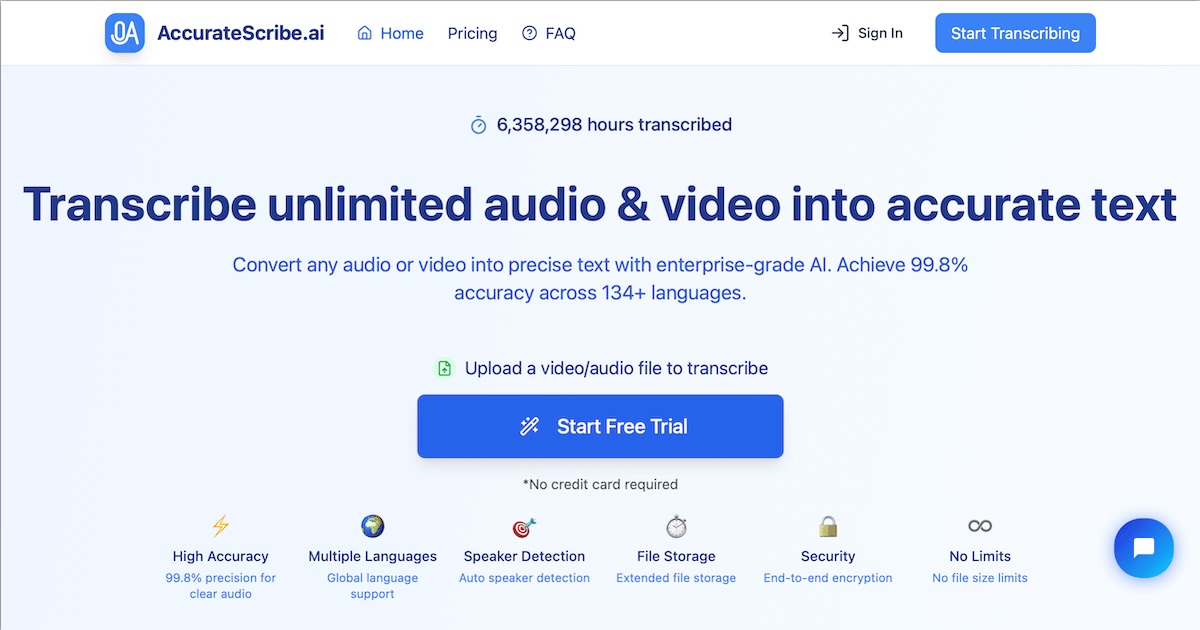
Ainda nao ha planos de preco detalhados para esta ferramenta.
SMART LAW FIRM DOCUMENT MANAGEMENTEvery document.Every email.Organized in one place.LexWorkplace helps you organize, search, and collaborate seamlessly, empowering your firm to deliver better service, fast. Work smarter with a document management system built for law firms. BOOK A FREE DEMO ADVANCED SEARCHFind case files, emails, and documents instantly. Smart Search scans across your entire system so you get results in seconds, not minutes.AI POWEREDAsk questions and get instant answers from your matters. Smart AI reads your documents, extracts key details, and delivers insights.AUTOMATIC EMAIL FILINGSave emails and documents without leaving Outlook. Smart File makes it easy to keep every client record organized, and accessible. Get OrganizedEverything for a Matter in One Place Organize documents, email, and notes by client or matter. Store and manage all data for a case or project in one place. BOOK A FREE DEMOGo Beyond Basic Files & FoldersPowerful DMS Capabilities Version Management Document Compare Document Tagging & Profiling Document Check-Out / Check-In Unique Document ID's Microsoft Office Integration Find Documents & Emails InstantlyLike Google for Your Law Firm Search across millions of documents, pages and email in seconds. Search by matter, document type, date and more. BOOK A FREE DEMOShare & CollaborateWork Better Together All matter documents are available to your entire firm unless restricted to certain people or groups. Secure External Sharing Easily and securely share multiple documents with clients or outside parties. Manage Emails in SecondsSeamless Outlook Integration Save emails to a matter without leaving Outlook. Smart-File learns sender-matter associations. Saved emails are accessible to your entire team. Organize With Folders & Notes Organize matter-related emails into subfolders, now even quicker with Multi-Select. Add notes to call out important emails. BOOK A FREE DEMOQuery+ Summarize Documents with AISummarize Complex Documents Ask questions about the contents or subject matter of a document. BOOK A FREE DEMO Works with the Software You Rely OnLexWorkplace integrates and works with the software used by today’s law firm, including Office 365, Adobe Acrobat and Clio Manage. Learn More About IntegrationsWatch the DemoSee LexWorkplace in ActionWhat Law Firms Like Yours SayLawyer Reviews of LexWorkplace “I’ve been a happy Uptime Legal customer for over 10 years, and love their new LexWorkplace system.” Ronald Canter Law Offices of Ronald Canter “LexWorkplace is easy to use, and allows us to keep documents well organized. And the platform is very stable.” James Menker Holley & Menker “LexWorkplace is simple to access and use, and gives us peace of mind that our files are safe and secure.” Mike Shelton The Shelton Law Firm “I Love LexWorkplace and the ease of organizing related emails and documents.” Robert Roseman Robert D. Roseman, PC See Success StoriesDocument & Email Management SoftwareManage Documents, Email and Collaborate With Your Team. Works with Windows and Mac OS. Matter-Centric Manage Documents, Email & Notes by Matter Store Anything Store documents, video, audio and more Office Integration Save Office docs directly to LexWorkplace Powerful Search Instant search across documents and email Email Management Save emails to a matter right from Outlook One-Click Open & Save One click to open a doc, one click to save Tagging & Profiling Create and apply tags & properties to docs Version Management Effortless document version management Geographic Redundancy Multiple independent data centers Data Encryption Complete encryption in-transit and at-rest Two-Factor Authentication Enable TFA for added data security Clio Integration Integrates with Clio Manage Document Preview Full-text Document & Emai Preview Integrated OCR Automatic conversion of PDF files to full-text. External Sharing Securely send documents to clients & third parties Document AI Speed up document review + research with AI Explore All FeaturesEveryone’s Talking About LexWorkplace LexWorkplace featured in the latest LearnPaper by TechnoLawyer. Download the LearnPaper LexWorkplace is the first new legal cloud DMS in years — more important than the various inchoate technologies getting so much attention from pundits.”– Neil Squillante, TechnoLawyer What’s your current Document ManagementSystem? On-Premise File Server“The S: Drive” Basic Cloud StorageDropbox, OneDrive, Google Drive A Legacy DMSWorldox, iManage, eDocs Practice Management SoftwareClio, Practice Panther, MyCase Featured Resources ChecklistOffice 365 Guidefor Law FirmsGet Checklist ChartDocument ManagementComparison ChartGet Chart ChecklistLaw Firm FileOrganization ChecklistGet ChecklistSee All Resources Get A Free DemoSee how we help your firm securely organize, find, and collaborate on documents and email. “I’ve been a happy Uptime Legal customer for over 10 years, and love their LexWorkplace system.” Ron Canter The Law Office of Ron Canter More Success Stories → 12+Years Working with Law Firms 500+Law Firm Clients at Uptime Legal 33M+Documents Stored on LexWorkplace --- Plans & Pricing USD CAD StarterFreeFor Uptime Manage & Cloud Users – Learn More Legal-Centric cloud storage INCLUDES Document Management Email Management Sharing & Collaboration Document AI Unlimited Support USERS + STORAGE X Users Included (Matching Manage/Cloud Plan) 500 GB of Storage (Included and Max) Learn MoreCore $595 CAD / month YEAR 1 PRICE: $ 395 425 USD CAD / month The standard LexWorkplace experience INCLUDES Document Management Email Management Sharing & Collaboration Document AI Unlimited Support USERS 3 Users Included (Add Unlimited) +1 User: $45 / mo. 3 Users Included (Add Unlimited) +1 User: $65 / mo. Year 1 Price: +1 User: $45 / mo. STORAGE 1 Terabyte of Storage (Add Unlimited) + 100 GB Storage: $40 / mo. 1 Terabyte of Storage (Add Unlimited) + 100 GB Storage: $60 / mo. Get StartedAdvanced $850 CAD / month YEAR 1 PRICE: $ 595 595 USD CAD / month Advanced DMS features INCLUDES Document Management Email Management Sharing & Collaboration Document AI Unlimited Support Integrated OCR Litera Compare Integration Inline Document Compare More in Advanced Coming Soon! USERS 3 Users Included (Add Unlimited) +1 User: $55 / mo. 3 Users Included (Add Unlimited) + 1 User: $80 / mo. Year 1 Price: + 1 User: $55 / mo. STORAGE 1 Terabyte of Storage (Add Unlimited) + 100 GB Storage: $40 / mo. 1 Terabyte of Storage (Add Unlimited) + 100 GB Storage: $60 / mo. Get StartedOnboarding OptionsMonthly Installment Payments Available Onboarding A Self-Managed Migration Shared Group Training FreeGet in TouchOnboarding B Uptime-Managed Migration Up to 250 GB (Matter + Firm Docs) Shared Group Training $ 1,495 1,995 One-Time Get in TouchOnboarding C Uptime-Managed Migration Up to 1TB (Matter + Firm Docs) (More available upon request) One-on-One Firm Training $ 3,995 5,595 +One-Time (Starting At) – Call for Quote Get in TouchLexWorkplace in Practice What Clients Say Get a Quote What Law Firms Like Yours SayLawyer Reviews of LexWorkplace “LexWorkplace is easy to use, and allows us to keep documents well organized. And the platform is very stable.” James Menker Holley & Menker “LexWorkplace is simple to access and use, and gives us peace of mind that our files are safe and secure.” Mike Shelton The Shelton Law Firm “I Love LexWorkplace and the ease of organizing related emails and documents.” Robert Roseman Robert D. Roseman, PC See Success Stories Get A Free DemoSee how we help your firm securely organize, find, and collaborate on documents and email. “I’ve been a happy Uptime Legal customer for over 10 years, and love their LexWorkplace system.” Ron Canter The Law Office of Ron Canter More Success Stories → --- LEXWORKPLACELegal Document Management SoftwareBorn in the Cloud. Built for Law Firms. LexWorkplace is the only modern option for law firms seeking the most effective document management software. Get LexWorkplace to improve your workflow today. Want to Learn More?Get in Touch with a SpecialistBenefits of LexWorkplaceWith LexWorkplace, daily hurdles turn into easy leaps forward. Store documents, email, and notes in a robust yet intuitive document management system. Find what you’re looking for across all pages in all documents (and email) in seconds. Organize documents, email and notes by Client and Matter, the way a law firm does. Manage documents with true DMS capabilities including Versioning, Document Compare, OCR, Tagging/Metadata, Document IDs, and more. Share documents with your team, clients, and others with easy permission features and a user-interface made with collaboration in mind. Get in TouchModern Legal Document ManagementSave time, headache, and money with a system that keeps documents organized, sharable, and searchable. Organized Like a Law Firm LexWorkplace provides client/matter-centric structure and robust storage to organize, code, and search your documents. Centralization Avoiding data sprawl, LexWorkplace keeps your firm and client data centralized, secure, and accessible to your entire firm. True DMS Capabilities LexWorkplace isn’t just cloud storage; its a true DMS with the features your firm needs. LexWorkplace includes Document Profiling/Tagging, Version Management, Integrated OCR, Full-Text Search, Inline Document Compare, and much, much more. All Document Management FeaturesSimple + Secure Law Firm Email ManagementWith the volume of emails law firms receive, it’s no wonder why they’re hard to keep organized. Well—no longer. LexWorkplace is a simple, secure way to store, mange and search emails, centrally stored and organized by matter. Simplified Organization Save emails right to a matter file where they can be shared, reviewed, and searched by your entire team. Robust Outlook Integration Through integrating LexWorkplace with Outlook, you can access, interact with, and organize your emails without leaving the platform. Smart-File & Multi-Select Multi-Select allows users to select multiple emails at once and automatically file using Smart-File, which learns and remembers sender-to-matter associations. All Email Management FeaturesRobust Sharing & Collaboration OptionsDefine who in your firm can access certain matters and documents. Securely share documents with outside parties. Intra-firm Collaboration LexWorkplace keeps matter data centralized and collaborative. Control Access Limit access to certain matters to individuals or groups when needed. External Sharing Securely share documents with clients and outside parties. All Sharing & Collaboration FeaturesData SecurityLexWorkplace was built from the ground up for data security & compliance you can feel confident about. Secure Application Architecture State-of-the art software architecture to ensure the highest data security. Encryption in Transit All LexWorkplace interactions protected by SSL (HTTPS) encryption. Encryption at Rest Data stored in LexWorplace is automatically protected by military-grade encryption. Permissions Management Set unique permissions on each matter. Define access by users or groups. Geographic Redundancy Your data is securely backed up to our multiple data centers across North America. Two-Factor Authentication LexWorkplace includes native Multi-Factor Authentication (MFA). All Security FeaturesIntegrationsLexWorkplace enhances your workflow by seamlessly integrating with the software your law firm relies on every day. Microsoft 365 LexWorkplace integrates with Microsoft 365, including add-ins for Word, Excel, and PowerPoint. Outlook + Exchange Save emails directly to matters using the LexWorkplace Outlook add-in. Clio Manage Link matters between Clio Manage and LexWorkplace to avoid duplicate entries. Litera Compare Compare documents seamlessly with LexWorkplace's Litera Compare integration. All Integration FeaturesOther Stand-Out FeaturesCreated solely for law firms, LexWorkplace provides these tools to manage your documents and emails. Matter-CentricStay organized by managing your documents, emails, and notes by client and matter. You’ll improve your workflow and collaboration potential. Powerful SearchLexWorkplace is like having Google search for all of your data. Get accurate results in seconds and avoid wasting time finding files. Cloud-BasedNo software to maintain, no servers required. Enjoy the benefit of accessing your files anytime you need them—without the hassle or office handcuffs. Bank-Grade SecurityEnd-to-End Encryption, Multi-Factor Authentication & more. Focus on the legal work and rest assured that we have your data secure for when you need it. Windows & MacAll LexWorkplace functionality works with Windows and Mac. Use whichever operating system suits you and your law firm the most. Practice Management IntegrationLexWorkplace integrates with Clio Manage for time & billing. Simply add LexWorkplace to your tech stack. Watch the DemoSee LexWorkplace in ActionWhat Law Firms Like Yours SayLawyer Reviews of LexWorkplace “I’ve been a happy Uptime Legal customer for over 10 years, and love their new LexWorkplace system.” Ronald Canter Law Offices of Ronald Canter “LexWorkplace is easy to use, and allows us to keep documents well organized. And the platform is very stable.” James Menker Holley & Menker “LexWorkplace is simple to access and use, and gives us peace of mind that our files are safe and secure.” Mike Shelton The Shelton Law Firm “I Love LexWorkplace and the ease of organizing related emails and documents.” Robert Roseman Robert D. Roseman, PC More Success Stories Frequently Asked Questions What is document management software? Document management is a kind of software that stores, organizes and provides tools to help your law firm manage its documents. Beyond the basic storage that you’ll find with an on-premise file server, or basic cloud storage services like Dropbox, document management software provides capabilities including full-text search, version management, OCR, document tagging and more. What does document management software do? Document management software provides structure and tools for your firm, your matters and the documents (and email) for each matter. Document Management software such as LexWorkplace helps you manage document versions, find what you’re looking for, tag and categorize documents, organize matters and matter documents, and much more. Good Document Management software also integrates with the tools you use most, such as Microsoft Office and Outlook. Is LexWorkplace the best document management software? If you’re a law firm, yes. LexWorkplace is the only document management software born in the cloud and built exclusively for law firms. Other document management software is either not cloud-based, crudely cloud-based, or built for the masses (not for law firms). What does LexWorkplace cost? LexWorkplace starts at $395 / month. For more information, see our plans & pricing. How do I get my data into LexWorkplace? We’ll handle everything. Rather than farming out your onboarding to a “certified consultant,” we handle moving you LexWorkplace in-house. Our expert onboarding team will work with you to understand your current data, then plan and execute a thoughtful migration of your data to LexWorkplace. Is my data more secure in the cloud? With the right cloud provider and proper safeguards, yes, your data is significantly more safe in the cloud (compared to a single server sitting in the coat closet of a law firm). Modern cloud and cybersecurity technologies gives small law firms the same level of cybersecurity previously only enjoyed by fortune-500 companies. How do I get my data out of LexWorkplace, should I decide to cancel? While we hope to be your legal technology partner forever, the LexWorkplace term is month-to-month, meaning you can cancel at any time. You can download all of your data from LexWorkplace at any time. I have more questions. Who can I ask? Give us a call! Contact us any time, we’re happy to help you explore legal document management solutions. Get A Free DemoSee how we help your firm securely organize, find, and collaborate on documents and email. “I’ve been a happy Uptime Legal customer for over 10 years, and love their LexWorkplace system.” Ron Canter The Law Office of Ron Canter More Success Stories → --- LEXWORKPLACELegal Document Management SoftwareBorn in the Cloud. Built for Law Firms. LexWorkplace is the only modern option for law firms seeking the most effective document management software. Get LexWorkplace to improve your workflow today. Want to Learn More?Get in Touch with a SpecialistBenefits of LexWorkplaceWith LexWorkplace, daily hurdles turn into easy leaps forward. Store documents, email, and notes in a robust yet intuitive document management system. Find what you’re looking for across all pages in all documents (and email) in seconds. Organize documents, email and notes by Client and Matter, the way a law firm does. Manage documents with true DMS capabilities including Versioning, Document Compare, OCR, Tagging/Metadata, Document IDs, and more. Share documents with your team, clients, and others with easy permission features and a user-interface made with collaboration in mind. Get in TouchModern Legal Document ManagementSave time, headache, and money with a system that keeps documents organized, sharable, and searchable. Organized Like a Law Firm LexWorkplace provides client/matter-centric structure and robust storage to organize, code, and search your documents. Centralization Avoiding data sprawl, LexWorkplace keeps your firm and client data centralized, secure, and accessible to your entire firm. True DMS Capabilities LexWorkplace isn’t just cloud storage; its a true DMS with the features your firm needs. LexWorkplace includes Document Profiling/Tagging, Version Management, Integrated OCR, Full-Text Search, Inline Document Compare, and much, much more. All Document Management FeaturesSimple + Secure Law Firm Email ManagementWith the volume of emails law firms receive, it’s no wonder why they’re hard to keep organized. Well—no longer. LexWorkplace is a simple, secure way to store, mange and search emails, centrally stored and organized by matter. Simplified Organization Save emails right to a matter file where they can be shared, reviewed, and searched by your entire team. Robust Outlook Integration Through integrating LexWorkplace with Outlook, you can access, interact with, and organize your emails without leaving the platform. Smart-File & Multi-Select Multi-Select allows users to select multiple emails at once and automatically file using Smart-File, which learns and remembers sender-to-matter associations. All Email Management FeaturesRobust Sharing & Collaboration OptionsDefine who in your firm can access certain matters and documents. Securely share documents with outside parties. Intra-firm Collaboration LexWorkplace keeps matter data centralized and collaborative. Control Access Limit access to certain matters to individuals or groups when needed. External Sharing Securely share documents with clients and outside parties. All Sharing & Collaboration FeaturesData SecurityLexWorkplace was built from the ground up for data security & compliance you can feel confident about. Secure Application Architecture State-of-the art software architecture to ensure the highest data security. Encryption in Transit All LexWorkplace interactions protected by SSL (HTTPS) encryption. Encryption at Rest Data stored in LexWorplace is automatically protected by military-grade encryption. Permissions Management Set unique permissions on each matter. Define access by users or groups. Geographic Redundancy Your data is securely backed up to our multiple data centers across North America. Two-Factor Authentication LexWorkplace includes native Multi-Factor Authentication (MFA). All Security FeaturesIntegrationsLexWorkplace enhances your workflow by seamlessly integrating with the software your law firm relies on every day. Microsoft 365 LexWorkplace integrates with Microsoft 365, including add-ins for Word, Excel, and PowerPoint. Outlook + Exchange Save emails directly to matters using the LexWorkplace Outlook add-in. Clio Manage Link matters between Clio Manage and LexWorkplace to avoid duplicate entries. Litera Compare Compare documents seamlessly with LexWorkplace's Litera Compare integration. All Integration FeaturesOther Stand-Out FeaturesCreated solely for law firms, LexWorkplace provides these tools to manage your documents and emails. Matter-CentricStay organized by managing your documents, emails, and notes by client and matter. You’ll improve your workflow and collaboration potential. Powerful SearchLexWorkplace is like having Google search for all of your data. Get accurate results in seconds and avoid wasting time finding files. Cloud-BasedNo software to maintain, no servers required. Enjoy the benefit of accessing your files anytime you need them—without the hassle or office handcuffs. Bank-Grade SecurityEnd-to-End Encryption, Multi-Factor Authentication & more. Focus on the legal work and rest assured that we have your data secure for when you need it. Windows & MacAll LexWorkplace functionality works with Windows and Mac. Use whichever operating system suits you and your law firm the most. Practice Management IntegrationLexWorkplace integrates with Clio Manage for time & billing. Simply add LexWorkplace to your tech stack. Watch the DemoSee LexWorkplace in ActionWhat Law Firms Like Yours SayLawyer Reviews of LexWorkplace “I’ve been a happy Uptime Legal customer for over 10 years, and love their new LexWorkplace system.” Ronald Canter Law Offices of Ronald Canter “LexWorkplace is easy to use, and allows us to keep documents well organized. And the platform is very stable.” James Menker Holley & Menker “LexWorkplace is simple to access and use, and gives us peace of mind that our files are safe and secure.” Mike Shelton The Shelton Law Firm “I Love LexWorkplace and the ease of organizing related emails and documents.” Robert Roseman Robert D. Roseman, PC More Success Stories Frequently Asked Questions What is document management software? Document management is a kind of software that stores, organizes and provides tools to help your law firm manage its documents. Beyond the basic storage that you’ll find with an on-premise file server, or basic cloud storage services like Dropbox, document management software provides capabilities including full-text search, version management, OCR, document tagging and more. What does document management software do? Document management software provides structure and tools for your firm, your matters and the documents (and email) for each matter. Document Management software such as LexWorkplace helps you manage document versions, find what you’re looking for, tag and categorize documents, organize matters and matter documents, and much more. Good Document Management software also integrates with the tools you use most, such as Microsoft Office and Outlook. Is LexWorkplace the best document management software? If you’re a law firm, yes. LexWorkplace is the only document management software born in the cloud and built exclusively for law firms. Other document management software is either not cloud-based, crudely cloud-based, or built for the masses (not for law firms). What does LexWorkplace cost? LexWorkplace starts at $395 / month. For more information, see our plans & pricing. How do I get my data into LexWorkplace? We’ll handle everything. Rather than farming out your onboarding to a “certified consultant,” we handle moving you LexWorkplace in-house. Our expert onboarding team will work with you to understand your current data, then plan and execute a thoughtful migration of your data to LexWorkplace. Is my data more secure in the cloud? With the right cloud provider and proper safeguards, yes, your data is significantly more safe in the cloud (compared to a single server sitting in the coat closet of a law firm). Modern cloud and cybersecurity technologies gives small law firms the same level of cybersecurity previously only enjoyed by fortune-500 companies. How do I get my data out of LexWorkplace, should I decide to cancel? While we hope to be your legal technology partner forever, the LexWorkplace term is month-to-month, meaning you can cancel at any time. You can download all of your data from LexWorkplace at any time. I have more questions. Who can I ask? Give us a call! Contact us any time, we’re happy to help you explore legal document management solutions. Get A Free DemoSee how we help your firm securely organize, find, and collaborate on documents and email. “I’ve been a happy Uptime Legal customer for over 10 years, and love their LexWorkplace system.” Ron Canter The Law Office of Ron Canter More Success Stories →