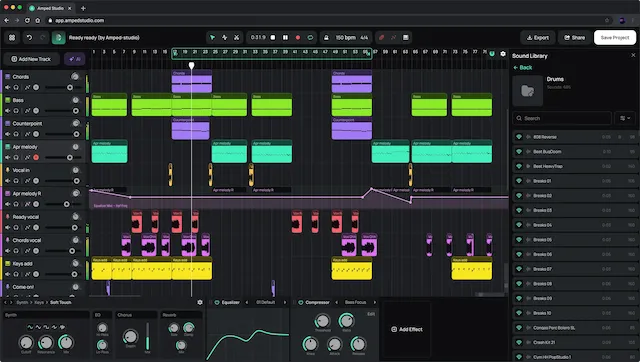
Ainda nao ha planos de preco detalhados para esta ferramenta.
Skip to main content × Ready to get started? Start 3-Day Free Trial Full access to all features, cancel anytime Already have an account? Email address Login Activating your content... × Account Logged in as: Manage Subscription & Billing Cancel Subscription Use the secure billing portal to cancel, change your plan, or update your payment method. Contact Support Log Out Theme 🌞 Light 🌙 Dark Use System Theme Choose Light, Dark, or follow your OS preference. × Thinking of canceling? (Optional — helps us improve) Optional billing intent reason Results not good enough Too expensive for me Not using it enough Technical issues or errors Continue to Billing Back to account Complete your Pro subscription Enter your email and accept the terms to continue to checkout. × Email for your subscription (required) I agree to the Terms of Service. ⚠️ 3-day trial then $9.99 USD/mo or $99.99 USD/yr (cancel anytime) Continue to Pro – $9.99 USD/mo Continue to Pro – $99.99 USD/yr Dismiss Transcribe Audio and Split Stems - For Musicians, Producers, and Teachers Turn songs into sheet music, MIDI, stems, or isolated practice parts with secure cloud processing. Export: PDF (printable) • MusicXML (editable) • MIDI (DAW-ready) 7,000+ users For any genre 96% piano note accuracy Lead + backing vocals Popular Tools MP3 to Sheet Music Audio to MIDI Multi-Track MIDI Lead + Backing Vocals Stem Separation Drum Kit Separation Spring Update 🌼 ⌃ Cloud Processing ☁️ Your jobs now run on our secure AI cloud service for maximum speed and quality. Mobile Devices 📱 You can now use your smartphone, tablet, and any computer for maximum compatibility. Transcription Quality 🎼 Improved transcription outputs including score PDF files for all instruments. Simpler Inputs and Outputs All jobs run at max quality and return Opus audio files. Change preferred audio format to wav or mp3 after job completion. 🎵 Watch Demos No signup to watch 0:18 🎤 Lead + Backing Vocals New 0:10 🎼 Multi-Track (All Instruments) New 0:16 🎹 Piano 0:16 🥁 Drum Kit 0:24 🎸 Play Guitar 🎧 Remix Demo Drop your audio file here or browse Upload an audio file ✕ Drop your music file here Stems • PDF / MusicXML / MIDI Log in / Sign up 🎵 Watch Demos No signup to watch 0:18 🎤 Lead + Backing Vocals New 0:10 🎼 Multi-Track (All Instruments) New 0:16 🎹 Piano 0:16 🥁 Drum Kit 0:24 🎸 Play Guitar 🎧 Remix Demo 👤 Sign up or log in to start creating. 🔒 Upload a file to get started. What would you like to create? Hover to preview outputs. NEW Sheet Music PDF / MusicXML / MIDI Transcribe to sheet music and export PDF, MusicXML, or MIDI. NEW Vocal Remover Vocals, Instrumental, Lead/Backing Split vocals, instrumentals, or lead/backing vocals. All Stems 6-stem Opus/MP3/WAV pack Split into vocals, drums, bass, piano, guitar, and Other Lead. Download Opus/MP3/WAV. NEW MIDI DAW-ready MIDI Single instrument MIDI or Multi-Track MIDI (all instruments). Practice Isolate one instrument Isolate one instrument so you can hear it clearly and play along. Drum Kit Kit pieces + Drum MIDI Kick/snare/toms/cymbals stems, plus Drum MIDI and MusicXML. Step 1: Which instrument will you practice? 🎸 Guitar Bass 🥁 Drums 🎻 Other Lead 🎹 Piano 🎤 Vocals Step 1: What would you like to do? Vocal + Instrumental Split vocals and instruments New Lead + Backing Vocals + Instrumental Split harmonies from the main vocal Step 1: What's in your audio? 🥁 Solo drum recording 🎤 Drums in a mix Step 2: What would you like to do? Separate drum kit Split into kick, snare, cymbals, toms Drums transcription Convert drums to MIDI and sheet music files Just the drums Full drum track separated from all other instruments Full drum kit breakdown Isolate drums, then break down into kick, snare, cymbals, toms Drums transcription Isolate drums, then convert to MIDI and sheet music files Step 1: How should we transcribe? 🎯 Single instrument Pick an instrument and isolate if needed New 🎼 Multi-Track All instruments (multi-track MIDI) Step 2: Include vocals? 🎺 Instruments (no vocals) Remove vocals before transcription 🎤 Keep vocals Transcribe everything Step 2: Choose your instrument 🎹 Piano 🎸 Guitar Bass 🎻 Other Lead 🎤 Vocals 🥁 Drums 🎵 Auto Detect Step 3: What type of audio do you have? 🎹 Solo your instrument recording One instrument only 🎵 Full mix We'll isolate your instrument first Step 1: How should we transcribe? 🎯 Single instrument Pick an instrument and isolate if needed New 🎼 Multi-Track All instruments (full-score MusicXML) Step 2: Include vocals? 🎺 Instruments (no vocals) Remove vocals before transcription 🎤 Keep vocals Transcribe everything Step 2: Choose your instrument 🎹 Piano 🎸 Guitar Bass 🎻 Other Lead 🎤 Vocals 🥁 Drums 🎵 Auto Detect Step 3: What type of audio do you have? 🎹 Solo your instrument recording One instrument only 🎵 Full mix We'll isolate your instrument first ‹ Tips: Other lead The "other lead" option is for all melodic instruments that are not piano or guitar. Try it for your clarinet, flute, violin, etc. › Select a task above → By clicking Start Job, you confirm you’re authorized to use this audio and agree to the Usage Rights. Convert audio to readable sheet music and MIDI (choose instrument) Processing your audio... ✕ Cancel ℹ️ Keep this tab open while processing. Transcribing to MIDI... Your Downloads Transcription Hide files No transcription outputs for this task. View files Download score files (ZIP) Open score preview Preview the PDF score Score Preview Hide preview Audio Hide Stems No audio outputs for this task. View Stems Format: ⓘ Opus MP3 WAV Download all stems (ZIP) Open stem mixer Preview and export a mix Stem Mixer Hide player Choose stems, then download your mix. Preparing stem preview... 0:00 / 0:00 Download mix (wav) Reset Mix Select at least 1 stem. Process Another Song Full-Size Score Preview Download PDF Open in new tab Close Customer testimonial ✕ Sample Sheet Music Output See how a real piano performance converts into clean, printable PDF sheet music. Unlimited songs on our fast and private cloud Secure cloud processing Supports Opus/MP3/WAV + more Secure checkout via Stripe Cancel anytime 3-day free trial Simple, Transparent Pricing Start your 3-day free trial Pro Billing period Monthly Yearly $9.99 USD / month Effective $8.33/month ✓ Unlimited songs on our fast, secure cloud ✓ 6-stem separation: vocals, drums, bass, piano, guitar + instrumental ✓ Transcription + sheet music exports (PDF, MusicXML) + MIDI ✓ Lead + backing vocals split ✓ Drum kit pieces (kick/snare/toms/cymbals) + drum MIDI + notation ✓ Piano transcription (hands + pedals) Start 3-Day Free Trial Manage Plan Full access • Cancel anytime • Trial then $9.99/mo or $99.99/yr Secure payments via Stripe Cancel anytime No hidden fees What You Get One plan unlocks everything below. Start with one tool — use the rest when you need it. 🎤 ▶ Watch demo 0:18 Lead + Backing Vocals Split the main vocal from harmonies, doubles, and stacks — great for practice, remixing, and mix cleanup. 🎹 ▶ Watch demo 0:16 96% Piano Note Accuracy High-accuracy piano transcription with left/right hands and sustain pedal events — export MIDI and MusicXML. 🥁 ▶ Watch demo 0:16 Drum Kit Breakdown & Notation Split drums into kick, snare, toms, and cymbals — plus Drum MIDI and printable drum notation. 🎼 ▶ Watch demo 0:10 Multi-Track MIDI Turn a full mix into multi-track MIDI and a full-score MusicXML draft — ideal for dense arrangements. 🎸 ▶ Watch demo 0:24 Solo Any Instrument Isolate or remove: vocals, drums, bass, guitar, piano, and more — with DAW-ready MIDI transcription. 🎙️ Vocals (Karaoke) Get vocals-only or an instrumental (no vocals) — plus the option to split Lead + Backing Vocals. 🎚️ Stem Separation Split a song into 6 stems: vocals, drums, bass, piano, guitar, and Other Lead — Opus/MP3/WAV downloads for your DAW. Loved by Musicians Worldwide "The demixing was very good, and much better than I was getting with RX 10. Thank you for giving me this chance to try the PRO version." P.W., Former Rock Musician, England "Your platform is the best music score generator I've found, and it keeps getting better with every update." C.L., Musician, Brazil "I demixed the tracks with your app for my latest production project. The results were fantastic!" S.F., Content Creator, France Frequently Asked Questions What do I get after processing? Each job returns downloadable files for the output you selected: stem audio packs, DAW-ready MIDI, and when applicable, printable PDF + editable MusicXML. What audio formats are supported? MP3, WAV, FLAC, M4A/AAC, OGG, AIFF, and most common formats. If something needs conversion, the app handles it automatically. How is processing handled? Jobs run through Music Demixer's secure cloud service to generate your outputs quickly and reliably. You upload once, then download the finished files for your workflow. Is there a free plan? We offer a 3-day free trial with full access. After the trial, you can keep Pro or cancel anytime from your account page. Card required to start the trial. Ready to Transform Your Music? Join thousands of musicians unlocking their creativity Start Separating Music Music Transcription, Sheet Music, MIDI, and Stems Music Demixer covers transcription, notation, MIDI, and stem separation in one online workflow. Turn MP3/WAV into PDF sheet music and MusicXML, DAW-ready MIDI, or a full 6-stem pack. For full songs, use Multi-Track MIDI (all instruments). For a specific part like piano, guitar, or vocals, isolate it first and transcribe the cleaner track. Pick the right workflow for your goal Broad transcription needs: stay here when you want to compare sheet music, MIDI, and stem workflows in one place. Fast online notation: start with Convert Audio to Sheet Music Online. Notation-first cleanup: use MP3 to Sheet Music when your priority is PDF/MusicXML editing and printing. Stems first when you want a cleaner part When a mix is dense, isolating a part before transcription can reduce overlap between instruments. If your goal is “just the guitar riff” or “just the vocal melody,” start with stem separation, then convert that stem to MIDI or MusicXML. Piano detail for notation and MIDI This piano workflow focuses on high-accuracy transcription, including left/right hand separation and sustain pedal events. Export MIDI for your DAW or MusicXML for your notation software. Drums: kit pieces, Drum MIDI, and notation For drummers, Music Demixer can split kit pieces (kick/snare/toms/cymbals) and export Drum MIDI plus drum notation. See Drum Kit tools. Sheet music and score-drafting workflows For the main online notation flow, use the online score converter. If you are starting from an MP3 and expect to print or refine the score in notation software, use MP3 to Sheet Music. For full arrangements, choose Multi-Track and edit the draft in your notation app. Audio to MIDI converter online workflows If your goal is production, use Audio to MIDI Converter Online for DAW-ready MIDI. Producers typically run single-part conversion for cleaner edits, then switch to Multi-Track when they need a full-song sketch. From quick drafts to full production workflows Need a printable draft fast? Start with the online score workflow. Need lesson-ready notation cleanup? Move to MP3 to Sheet Music. Need stems or production-ready MIDI? Keep exploring the broader workflows linked here. Compare alternatives before you buy Shortlisting tools? Start at AI music tool comparisons for workflow-specific pages, including vs Spleeter, vs Melody Scanner, and Piano Transcription. Cloud processing Fast, secure cloud processing. Unlimited songs with a 3-day free trial Start a 3-day free trial with full access to all tools and unlimited songs. Cancel anytime from your account page. Ready to try it? Upload a track and pick your output. --- Skip to main content × Ready to get started? Start 3-Day Free Trial Full access to all features, cancel anytime Already have an account? Email address Login Activating your content... × Account Logged in as: Manage Subscription & Billing Cancel Subscription Use the secure billing portal to cancel, change your plan, or update your payment method. Contact Support Log Out Theme 🌞 Light 🌙 Dark Use System Theme Choose Light, Dark, or follow your OS preference. × Thinking of canceling? (Optional — helps us improve) Optional billing intent reason Results not good enough Too expensive for me Not using it enough Technical issues or errors Continue to Billing Back to account Complete your Pro subscription Enter your email and accept the terms to continue to checkout. × Email for your subscription (required) I agree to the Terms of Service. ⚠️ 3-day trial then $9.99 USD/mo or $99.99 USD/yr (cancel anytime) Continue to Pro – $9.99 USD/mo Continue to Pro – $99.99 USD/yr Dismiss Terms of Service Clear billing, cancellation, and refund rules. Last updated: January 4, 2026 1. Trial and Billing By starting a free trial, you authorize Music Demixer (“we,” “us,” “our”) to charge $9.99 USD per month (or $99.99 USD per year) after the 3-day trial ends, unless you cancel beforehand. Your subscription renews automatically each billing period until canceled. 2. Cancellation You may cancel anytime: Click “👤 Manage Account ▼” in the top-right of the website Click “Manage Subscription & Billing” and follow the instructions to access your Stripe billing portal Click “Cancel subscription” from the Stripe billing portal Cancellations stop future billing immediately. Your access remains active until the end of the current billing period. If our records show no cancellation event, the subscription remains active. 3. Refunds If you forgot to cancel or are dissatisfied, email support@freemusicdemixer.com within 7 days of the charge. We may refund, prorate, or credit payments after a brief usage review. All services are digital and delivered instantly. If you experience errors, crashes, or incorrect results, try our support tips or contact us for support or a refund. 4. Disputes and Chargebacks Please contact support@freemusicdemixer.com before filing a chargeback. We resolve legitimate billing issues within 24 hours. Filing a dispute instead of contacting support may result in account termination and loss of access. By subscribing, you confirm that: You understand this is a recurring digital subscription You know how to cancel (Manage Account → Manage Subscription & Billing -> Cancel subscription) You agree to contact support first for billing issues 5. Service Description Music Demixer provides cloud-based AI audio tools for stem separation, MIDI transcription, and sheet-music generation. User data is minimal and not retained beyond what’s required for billing and support. 5A. Usage Rights Upload only audio you own, have permission or a license to use, or are otherwise authorized to use. You’re responsible for complying with copyright and licensing laws in your jurisdiction. Commercial use of outputs (stems, MIDI, MusicXML, PDF) is permitted only if you have the necessary rights or permission for the input audio. Otherwise, commercial use (resale, release, broadcast, distribution, or other for-profit use) is prohibited. 6. Privacy Payments are processed by Stripe. Hosting and security are provided by trusted third-party vendors. Full details are available in our Privacy Policy. We never sell personal data. 7. Governing Law These Terms are governed by the laws of Quebec and Canada. By using Music Demixer, you agree to these Terms of Service. By clicking “Start Free Trial,” you acknowledge and agree that your card will be charged $9.99 USD per month (or $99.99 USD per year) after 3 days unless you cancel as described above. --- Skip to main content × Ready to get started? Start 3-Day Free Trial Full access to all features, cancel anytime Already have an account? Email address Login Activating your content... × Account Logged in as: Manage Subscription & Billing Cancel Subscription Use the secure billing portal to cancel, change your plan, or update your payment method. Contact Support Log Out Theme 🌞 Light 🌙 Dark Use System Theme Choose Light, Dark, or follow your OS preference. × Thinking of canceling? (Optional — helps us improve) Optional billing intent reason Results not good enough Too expensive for me Not using it enough Technical issues or errors Continue to Billing Back to account Complete your Pro subscription Enter your email and accept the terms to continue to checkout. × Email for your subscription (required) I agree to the Terms of Service. ⚠️ 3-day trial then $9.99 USD/mo or $99.99 USD/yr (cancel anytime) Continue to Pro – $9.99 USD/mo Continue to Pro – $99.99 USD/yr Dismiss MP3 to Sheet Music Converter - For Printable Scores and Edits Turn MP3, WAV, or FLAC into printable notation, editable MusicXML, and MIDI. Export: PDF (printable) • MusicXML (editable) • MIDI (DAW-ready) 7,000+ users Trusted by music educators worldwide 96% piano note accuracy Solo part or full score Notation-first workflow: generate a draft score, then clean it up in MuseScore, Finale, or Sibelius before printing. Popular Tools MP3 to Sheet Music Audio to MIDI Multi-Track MIDI Lead + Backing Vocals Stem Separation Drum Kit Separation Spring Update 🌼 ⌃ Cloud Processing ☁️ Your jobs now run on our secure AI cloud service for maximum speed and quality. Mobile Devices 📱 You can now use your smartphone, tablet, and any computer for maximum compatibility. Transcription Quality 🎼 Improved transcription outputs including score PDF files for all instruments. Simpler Inputs and Outputs All jobs run at max quality and return Opus audio files. Change preferred audio format to wav or mp3 after job completion. 🎵 Watch Demos No signup to watch 0:18 🎤 Lead + Backing Vocals New 0:10 🎼 Multi-Track (All Instruments) New 0:16 🎹 Piano 0:16 🥁 Drum Kit 0:24 🎸 Play Guitar 🎧 Remix Demo Drop your audio file here or browse Upload an audio file ✕ Drop your music file here Sheet music • PDF / MusicXML / MIDI Log in / Sign up 🎵 Watch Demos No signup to watch 0:18 🎤 Lead + Backing Vocals New 0:10 🎼 Multi-Track (All Instruments) New 0:16 🎹 Piano 0:16 🥁 Drum Kit 0:24 🎸 Play Guitar 🎧 Remix Demo 👤 Sign up or log in to start creating. 🔒 Upload a file to get started. What would you like to create? Hover to preview outputs. NEW Sheet Music PDF / MusicXML / MIDI Transcribe to sheet music and export PDF, MusicXML, or MIDI. NEW Vocal Remover Vocals, Instrumental, Lead/Backing Split vocals, instrumentals, or lead/backing vocals. All Stems 6-stem Opus/MP3/WAV pack Split into vocals, drums, bass, piano, guitar, and Other Lead. Download Opus/MP3/WAV. NEW MIDI DAW-ready MIDI Single instrument MIDI or Multi-Track MIDI (all instruments). Practice Isolate one instrument Isolate one instrument so you can hear it clearly and play along. Drum Kit Kit pieces + Drum MIDI Kick/snare/toms/cymbals stems, plus Drum MIDI and MusicXML. Step 1: Which instrument will you practice? 🎸 Guitar Bass 🥁 Drums 🎻 Other Lead 🎹 Piano 🎤 Vocals Step 1: What would you like to do? Vocal + Instrumental Split vocals and instruments New Lead + Backing Vocals + Instrumental Split harmonies from the main vocal Step 1: What's in your audio? 🥁 Solo drum recording 🎤 Drums in a mix Step 2: What would you like to do? Separate drum kit Split into kick, snare, cymbals, toms Drums transcription Convert drums to MIDI and sheet music files Just the drums Full drum track separated from all other instruments Full drum kit breakdown Isolate drums, then break down into kick, snare, cymbals, toms Drums transcription Isolate drums, then convert to MIDI and sheet music files Step 1: How should we transcribe? 🎯 Single instrument Pick an instrument and isolate if needed New 🎼 Multi-Track All instruments (multi-track MIDI) Step 2: Include vocals? 🎺 Instruments (no vocals) Remove vocals before transcription 🎤 Keep vocals Transcribe everything Step 2: Choose your instrument 🎹 Piano 🎸 Guitar Bass 🎻 Other Lead 🎤 Vocals 🥁 Drums 🎵 Auto Detect Step 3: What type of audio do you have? 🎹 Solo your instrument recording One instrument only 🎵 Full mix We'll isolate your instrument first Step 1: How should we transcribe? 🎯 Single instrument Pick an instrument and isolate if needed New 🎼 Multi-Track All instruments (full-score MusicXML) Step 2: Include vocals? 🎺 Instruments (no vocals) Remove vocals before transcription 🎤 Keep vocals Transcribe everything Step 2: Choose your instrument 🎹 Piano 🎸 Guitar Bass 🎻 Other Lead 🎤 Vocals 🥁 Drums 🎵 Auto Detect Step 3: What type of audio do you have? 🎹 Solo your instrument recording One instrument only 🎵 Full mix We'll isolate your instrument first ‹ Tips: Other lead The "other lead" option is for all melodic instruments that are not piano or guitar. Try it for your clarinet, flute, violin, etc. › Select a task above → By clicking Start Job, you confirm you’re authorized to use this audio and agree to the Usage Rights. Convert audio to readable sheet music and MIDI (choose instrument) Processing your audio... ✕ Cancel ℹ️ Keep this tab open while processing. Transcribing to MIDI... Your Downloads Transcription Hide files No transcription outputs for this task. View files Download score files (ZIP) Open score preview Preview the PDF score Score Preview Hide preview Audio Hide Stems No audio outputs for this task. View Stems Format: ⓘ Opus MP3 WAV Download all stems (ZIP) Open stem mixer Preview and export a mix Stem Mixer Hide player Choose stems, then download your mix. Preparing stem preview... 0:00 / 0:00 Download mix (wav) Reset Mix Select at least 1 stem. Process Another Song Full-Size Score Preview Download PDF Open in new tab Close Customer testimonial ✕ Sample Sheet Music Output See how a real piano performance converts into clean, printable PDF sheet music. Unlimited songs on our fast and private cloud Secure cloud processing Supports Opus/MP3/WAV + more Secure checkout via Stripe Cancel anytime 3-day free trial Simple, Transparent Pricing Start your 3-day free trial Pro Billing period Monthly Yearly $9.99 USD / month Effective $8.33/month ✓ Unlimited songs on our fast, secure cloud ✓ 6-stem separation: vocals, drums, bass, piano, guitar + instrumental ✓ Transcription + sheet music exports (PDF, MusicXML) + MIDI ✓ Lead + backing vocals split ✓ Drum kit pieces (kick/snare/toms/cymbals) + drum MIDI + notation ✓ Piano transcription (hands + pedals) Start 3-Day Free Trial Manage Plan Full access • Cancel anytime • Trial then $9.99/mo or $99.99/yr Secure payments via Stripe Cancel anytime No hidden fees What You Get One plan unlocks everything below. Start with one tool — use the rest when you need it. 🎤 ▶ Watch demo 0:18 Lead + Backing Vocals Split the main vocal from harmonies, doubles, and stacks — great for practice, remixing, and mix cleanup. 🎹 ▶ Watch demo 0:16 96% Piano Note Accuracy High-accuracy piano transcription with left/right hands and sustain pedal events — export MIDI and MusicXML. 🥁 ▶ Watch demo 0:16 Drum Kit Breakdown & Notation Split drums into kick, snare, toms, and cymbals — plus Drum MIDI and printable drum notation. 🎼 ▶ Watch demo 0:10 Multi-Track MIDI Turn a full mix into multi-track MIDI and a full-score MusicXML draft — ideal for dense arrangements. 🎸 ▶ Watch demo 0:24 Solo Any Instrument Isolate or remove: vocals, drums, bass, guitar, piano, and more — with DAW-ready MIDI transcription. 🎙️ Vocals (Karaoke) Get vocals-only or an instrumental (no vocals) — plus the option to split Lead + Backing Vocals. 🎚️ Stem Separation Split a song into 6 stems: vocals, drums, bass, piano, guitar, and Other Lead — Opus/MP3/WAV downloads for your DAW. Loved by Musicians Worldwide "The demixing was very good, and much better than I was getting with RX 10. Thank you for giving me this chance to try the PRO version." P.W., Former Rock Musician, England "Your platform is the best music score generator I've found, and it keeps getting better with every update." C.L., Musician, Brazil "I demixed the tracks with your app for my latest production project. The results were fantastic!" S.F., Content Creator, France Frequently Asked Questions What do I get after processing? Each job returns downloadable files for the output you selected: stem audio packs, DAW-ready MIDI, and when applicable, printable PDF + editable MusicXML. What audio formats are supported? MP3, WAV, FLAC, M4A/AAC, OGG, AIFF, and most common formats. If something needs conversion, the app handles it automatically. How is processing handled? Jobs run through Music Demixer's secure cloud service to generate your outputs quickly and reliably. You upload once, then download the finished files for your workflow. Is there a free plan? We offer a 3-day free trial with full access. After the trial, you can keep Pro or cancel anytime from your account page. Card required to start the trial. How do I convert an MP3 file into MusicXML sheet music? Upload your MP3, choose the Sheet Music workflow, then export MusicXML. Open that file in notation software to clean spacing and durations before printing. Can I export PDF sheet music? Yes. After transcription, you can download PDF for printing, plus MusicXML if you want to edit notation in MuseScore/Finale/Sibelius. Will this work on full songs with vocals and drums? You can get a usable draft, but dense mixes are harder. For cleaner notation, isolate the target part first or use multi-track workflows before score cleanup. What audio can I upload for sheet-music conversion? Upload audio you own or are authorized to use. For best results, use recordings you're authorized to transcribe and export as PDF/MusicXML. Can I use the output commercially? Yes — if you own the rights to the input audio (or have permission or a license), you can use the outputs commercially. Generate a Printable Score from Audio Download a printable PDF instantly, or export MusicXML and MIDI for notation and DAW editing. Create Sheet Music MP3 to Sheet Music for Printable Scores, MusicXML Cleanup, and Lesson Prep Turn MP3/WAV/FLAC recordings into printable PDF sheet music, editable MusicXML, and optional MIDI export. Built for notation-first users who care about printing, lesson prep, arranging, and score cleanup after transcription. What you get You get PDF + MusicXML + MIDI. Use PDF for instant printing, MusicXML for notation software edits, and MIDI for DAW work when you want both score and production flexibility. Best results by source type Solo instruments usually produce cleaner drafts than dense full mixes. For full songs, use multi-track MIDI to sketch structure first, then refine notation. Supported formats and quality MP3, WAV, and FLAC are supported. WAV/FLAC often preserve transients and dynamics better, which can improve note detection quality on complex passages. Edit and print workflow Download PDF for immediate printing, or open MusicXML in MuseScore/Finale/Sibelius and adjust spacing, durations, and articulation for final engraving. When to use this page vs the online converter Choose this workflow when your priority is a printable score and MusicXML cleanup. If you want the fastest online flow for a quick draft, start with Convert Audio to Sheet Music Online. Related workflows For production output, use MP3 to MIDI converter. For dense mixes, split a song into stems first. For the broader transcription and stems platform, return to the Music Demixer homepage. Cloud processing Fast, secure cloud processing. Ready to convert MP3 to sheet music? Upload audio and generate PDF, MusicXML, and MIDI. --- Skip to main content × Ready to get started? Start 3-Day Free Trial Full access to all features, cancel anytime Already have an account? Email address Login Activating your content... × Account Logged in as: Manage Subscription & Billing Cancel Subscription Use the secure billing portal to cancel, change your plan, or update your payment method. Contact Support Log Out Theme 🌞 Light 🌙 Dark Use System Theme Choose Light, Dark, or follow your OS preference. × Thinking of canceling? (Optional — helps us improve) Optional billing intent reason Results not good enough Too expensive for me Not using it enough Technical issues or errors Continue to Billing Back to account Complete your Pro subscription Enter your email and accept the terms to continue to checkout. × Email for your subscription (required) I agree to the Terms of Service. ⚠️ 3-day trial then $9.99 USD/mo or $99.99 USD/yr (cancel anytime) Continue to Pro – $9.99 USD/mo Continue to Pro – $99.99 USD/yr Dismiss MP3 to MIDI Converter - One Part, DAW-Ready Turn a melody, bass line, riff, or vocal into DAW-ready MIDI. Export: MIDI (DAW-ready) 7,000+ users For producers, composers, & learners Best for one part at a time Piano, bass, guitar, vocals Start here when you want one clear part transcribed into MIDI. Need a full-song, all-instruments draft? Use multi-track MIDI. Spring Update 🌼 ⌃ Cloud Processing ☁️ Your jobs now run on our secure AI cloud service for maximum speed and quality. Mobile Devices 📱 You can now use your smartphone, tablet, and any computer for maximum compatibility. Transcription Quality 🎼 Improved transcription outputs including score PDF files for all instruments. Simpler Inputs and Outputs All jobs run at max quality and return Opus audio files. Change preferred audio format to wav or mp3 after job completion. 🎵 Watch Demos No signup to watch 0:18 🎤 Lead + Backing Vocals New 0:10 🎼 Multi-Track (All Instruments) New 0:16 🎹 Piano 0:16 🥁 Drum Kit 0:24 🎸 Play Guitar 🎧 Remix Demo Drop your audio file here or browse Upload an audio file ✕ Drop your music file here MIDI • DAW-ready • Piano / Bass / Vocals Log in / Sign up 🎵 Watch Demos No signup to watch 0:18 🎤 Lead + Backing Vocals New 0:10 🎼 Multi-Track (All Instruments) New 0:16 🎹 Piano 0:16 🥁 Drum Kit 0:24 🎸 Play Guitar 🎧 Remix Demo 👤 Sign up or log in to start creating. 🔒 Upload a file to get started. What would you like to create? Hover to preview outputs. NEW Sheet Music PDF / MusicXML / MIDI Transcribe to sheet music and export PDF, MusicXML, or MIDI. NEW Vocal Remover Vocals, Instrumental, Lead/Backing Split vocals, instrumentals, or lead/backing vocals. All Stems 6-stem Opus/MP3/WAV pack Split into vocals, drums, bass, piano, guitar, and Other Lead. Download Opus/MP3/WAV. NEW MIDI DAW-ready MIDI Single instrument MIDI or Multi-Track MIDI (all instruments). Practice Isolate one instrument Isolate one instrument so you can hear it clearly and play along. Drum Kit Kit pieces + Drum MIDI Kick/snare/toms/cymbals stems, plus Drum MIDI and MusicXML. Step 1: Which instrument will you practice? 🎸 Guitar Bass 🥁 Drums 🎻 Other Lead 🎹 Piano 🎤 Vocals Step 1: What would you like to do? Vocal + Instrumental Split vocals and instruments New Lead + Backing Vocals + Instrumental Split harmonies from the main vocal Step 1: What's in your audio? 🥁 Solo drum recording 🎤 Drums in a mix Step 2: What would you like to do? Separate drum kit Split into kick, snare, cymbals, toms Drums transcription Convert drums to MIDI and sheet music files Just the drums Full drum track separated from all other instruments Full drum kit breakdown Isolate drums, then break down into kick, snare, cymbals, toms Drums transcription Isolate drums, then convert to MIDI and sheet music files Step 1: How should we transcribe? 🎯 Single instrument Pick an instrument and isolate if needed New 🎼 Multi-Track All instruments (multi-track MIDI) Step 2: Include vocals? 🎺 Instruments (no vocals) Remove vocals before transcription 🎤 Keep vocals Transcribe everything Step 2: Choose your instrument 🎹 Piano 🎸 Guitar Bass 🎻 Other Lead 🎤 Vocals 🥁 Drums 🎵 Auto Detect Step 3: What type of audio do you have? 🎹 Solo your instrument recording One instrument only 🎵 Full mix We'll isolate your instrument first Step 1: How should we transcribe? 🎯 Single instrument Pick an instrument and isolate if needed New 🎼 Multi-Track All instruments (full-score MusicXML) Step 2: Include vocals? 🎺 Instruments (no vocals) Remove vocals before transcription 🎤 Keep vocals Transcribe everything Step 2: Choose your instrument 🎹 Piano 🎸 Guitar Bass 🎻 Other Lead 🎤 Vocals 🥁 Drums 🎵 Auto Detect Step 3: What type of audio do you have? 🎹 Solo your instrument recording One instrument only 🎵 Full mix We'll isolate your instrument first ‹ Tips: Other lead 1/2 The "other lead" option is for all melodic instruments that are not piano or guitar. Try it for your clarinet, flute, violin, etc. › Select a task above → By clicking Start Job, you confirm you’re authorized to use this audio and agree to the Usage Rights. Convert audio to MIDI files for DAWs and music production (choose instrument) Processing your audio... ✕ Cancel ℹ️ Keep this tab open while processing. Transcribing to MIDI... Your Downloads Transcription Hide files No transcription outputs for this task. View files Download score files (ZIP) Open score preview Preview the PDF score Score Preview Hide preview Audio Hide Stems No audio outputs for this task. View Stems Format: ⓘ Opus MP3 WAV Download all stems (ZIP) Open stem mixer Preview and export a mix Stem Mixer Hide player Choose stems, then download your mix. Preparing stem preview... 0:00 / 0:00 Download mix (wav) Reset Mix Select at least 1 stem. Process Another Song Full-Size Score Preview Download PDF Open in new tab Close Customer testimonial ✕ Unlimited songs on our fast and private cloud Secure cloud processing Supports Opus/MP3/WAV + more Secure checkout via Stripe Cancel anytime 3-day free trial Simple, Transparent Pricing Start your 3-day free trial Pro Billing period Monthly Yearly $9.99 USD / month Effective $8.33/month ✓ Unlimited songs on our fast, secure cloud ✓ 6-stem separation: vocals, drums, bass, piano, guitar + instrumental ✓ Transcription + sheet music exports (PDF, MusicXML) + MIDI ✓ Lead + backing vocals split ✓ Drum kit pieces (kick/snare/toms/cymbals) + drum MIDI + notation ✓ Piano transcription (hands + pedals) Start 3-Day Free Trial Manage Plan Full access • Cancel anytime • Trial then $9.99/mo or $99.99/yr Secure payments via Stripe Cancel anytime No hidden fees What You Get One plan unlocks everything below. Start with one tool — use the rest when you need it. 🎤 ▶ Watch demo 0:18 Lead + Backing Vocals Split the main vocal from harmonies, doubles, and stacks — great for practice, remixing, and mix cleanup. 🎹 ▶ Watch demo 0:16 96% Piano Note Accuracy High-accuracy piano transcription with left/right hands and sustain pedal events — export MIDI and MusicXML. 🥁 ▶ Watch demo 0:16 Drum Kit Breakdown & Notation Split drums into kick, snare, toms, and cymbals — plus Drum MIDI and printable drum notation. 🎼 ▶ Watch demo 0:10 Multi-Track MIDI Turn a full mix into multi-track MIDI and a full-score MusicXML draft — ideal for dense arrangements. 🎸 ▶ Watch demo 0:24 Solo Any Instrument Isolate or remove: vocals, drums, bass, guitar, piano, and more — with DAW-ready MIDI transcription. 🎙️ Vocals (Karaoke) Get vocals-only or an instrumental (no vocals) — plus the option to split Lead + Backing Vocals. 🎚️ Stem Separation Split a song into 6 stems: vocals, drums, bass, piano, guitar, and Other Lead — Opus/MP3/WAV downloads for your DAW. Loved by Musicians Worldwide "The demixing was very good, and much better than I was getting with RX 10. Thank you for giving me this chance to try the PRO version." P.W., Former Rock Musician, England "Your platform is the best music score generator I've found, and it keeps getting better with every update." C.L., Musician, Brazil "I demixed the tracks with your app for my latest production project. The results were fantastic!" S.F., Content Creator, France Frequently Asked Questions What do I get after processing? Each job returns downloadable files for the output you selected: stem audio packs, DAW-ready MIDI, and when applicable, printable PDF + editable MusicXML. What audio formats are supported? MP3, WAV, FLAC, M4A/AAC, OGG, AIFF, and most common formats. If something needs conversion, the app handles it automatically. How is processing handled? Jobs run through Music Demixer's secure cloud service to generate your outputs quickly and reliably. You upload once, then download the finished files for your workflow. Is there a free plan? We offer a 3-day free trial with full access. After the trial, you can keep Pro or cancel anytime from your account page. Card required to start the trial. How do I convert MP3 audio into a MIDI file? Upload MP3/WAV, choose MIDI output, run transcription, then download the .mid file for DAW editing. This page is best when you want one target part instead of a full-song draft. When should I use Multi-Track MIDI instead? Use Multi-Track MIDI when you want a full-song, all-instruments draft. This page is best when you want one target part, not the whole arrangement at once. Can melodic vocals be converted to MIDI notes? Yes, sometimes. Melodic vocals can map well, but vibrato and background instruments reduce precision. Isolation improves results. Why does exported MIDI feel different from the original song? MIDI captures note events, not full audio nuance. Timing, articulation, and overlap may need editing in your DAW. What audio can I upload for MIDI transcription? Upload audio you're authorized to use. You're responsible for copyright and licensing compliance in your jurisdiction. Can I use the output commercially? Yes — if you own the rights to the input audio (or have permission or a license), you can use the outputs commercially. Convert One Part to MIDI Best when you want one editable part, not a full-song draft. Need the whole song? Use Multi-Track MIDI. Generate MIDI MP3 to MIDI Converter for Single-Part Transcription Convert MP3 to MIDI online when you want one editable part instead of a full-song arrangement draft. It works best on a single line, riff, bass part, vocal melody, or other exposed instrument you want to refine in your DAW. Use this page when you need one editable part Convert a melody, hook, bass line, riff, or vocal line into MIDI. Draft a piano passage you can quantize, revoice, and orchestrate in your DAW. Get a faster production or practice starting point than entering notes by hand. Use a different workflow for full songs or notation If you want the whole song drafted across instruments, use multi-track MIDI. If the target part is buried in the mix, use stem separation online first. If you want printable notation, use MP3 to sheet music. Best inputs for clean MIDI Clear note attacks and lighter overlap produce cleaner note timing. Dense masters can still work, but expect more cleanup after import. Instrument paths Piano transcription works well for hand and pedal detail. Bass, guitar, vocals, and other lead lines are strongest when the target part is exposed and easy to follow. How to improve results on complex songs If the part you want is masked by other instruments, isolate it first with stem separation online, then transcribe the cleaner source. For browser-first notation output, use convert audio to sheet music online. Cloud processing Fast, secure cloud processing. Ready to generate MIDI? Upload audio and convert.