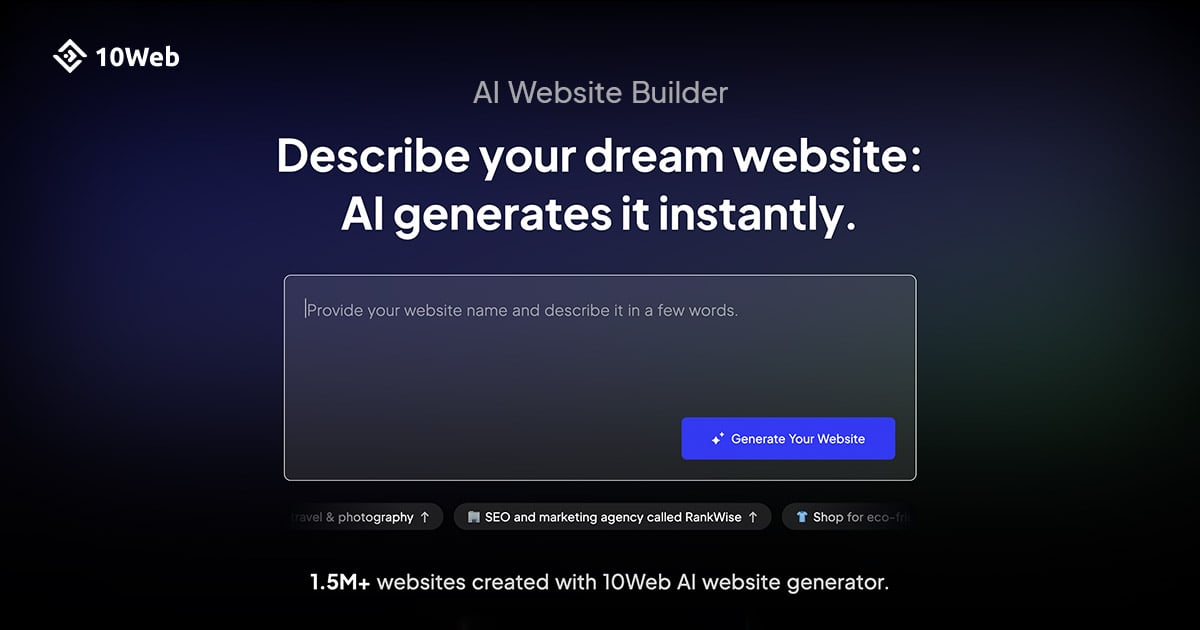
opengraphexamples.com
Pricing plans
Detailed pricing plans are not available yet for this tool.
Detailed overview
Automate OG image generation with ogimage.org →
For Open Graph image automation, please, check out ogimage.org → Open Graph Examples Advice, helpful content, and tools to make your Open Graph social cards stand out. Latest Open Graph Image Examples
Click on any example to get more information and check out how it is
implemented with meta tags.
All Examples
Website Development Productivity Collaboration Information Management Marketing Website Analytics Product Management Ecommerce User Research AI Online Shopping SaaS Starters Productivity Software Social Media Marketing Business Services Business Ideas
All Categories →
Hunted.Space Product Pages Hunted.Space generates dynamically OG images for each product. Simple Analytics The privacy-first Google Analytics alternative that generates OG images dynamically. Klu Connect your Google Drive, Gmail, Google Calendar, Slack, Notion, and more, search and ask questions from a single search bar. Branding 5 Brandpositioning in just 5 minutes. Shipixen Make custom Next.js boilerplates with an MDX blog, TypeScript and Shadcn UI. SEO Stuff The best keyword research tool. Typeframes Stunning product videos, in minutes. Tailscan Browser inspector for Tailwind CSS BlackMagic.so BlackMagic.so is Twitter Analytics and CRM. Shots Create Amazing Mockups. Gift Ideas AI The Ultimate Gift Finder with AI. Gasby Your Fancy AI Personal Assistant. Clobbr Test Results Clobbr's OG image renders test results dynamically Curbn Stopping startup founder burnout. Shipped Next.js Startup Boilerplate. 103SEO Generates OG images dynamically for keyword reports. APIcrud Beautiful Open Graph Images. Hunted.Space Launch Analytics Product Hunt launch analytics. listmysaas.com 115 Directories And Platforms To List Your SaaS. Trailer Wave Transforming products into trailers. DevTerms The Developer Dictionary. SEO Gets SEO Analytics - Insights and Reports in minutes. ProdPapa Public Page for Products| Gather feedback and reviews SaaS Starters A directory of premium SaaS starters & boilerplates by indie hackers all in one place.
Frequently asked questions
Answers to the questions people often ask about the Open Graph
protocol and Open Graph social cards.
What is Open Graph? Open Graph is a protocol that allows web pages to become rich objects in a social graph. Essentially, it is a set of meta tags added to the HTML of a webpage that provides information about the content of the page, such as the title, type, URL, image, video, and site name. How is the Open Graph protocol used? The information specified in the Open Graph meta tags is used by social media platforms like Facebook, Twitter, LinkedIn, and Pinterest to display a preview of the webpage when it is shared on their platforms. What is an Open Graph checker? An Open Graph checker, or validator, is a tool that inspects your webpage to verify that the Open Graph tags are correctly implemented. It checks for the presence of necessary tags and whether they contain appropriate values that will effectively represent your content on social media platforms. How to debug the Open Graph protocol? To debug the Open Graph protocol, ensure correct OG tags are implemented, use validator tools like Facebook Sharing Debugger, Twitter Card Validator or our Open Graph tester to identify and fix errors, and clear social media caches to reflect changes. What is the purpose of Open Graph images? The purpose of Open Graph (OG) image is to provide a visual preview of the content being shared on social media platforms, enhancing engagement by giving users a quick understanding of what the linked page is about. Check out our OG image examples for inspiration. What mediums support the Open Graph protocol? The Open Graph protocol is supported by social media platforms, messaging apps, search engines, content aggregators and readers, email marketing tools, and bookmarking and content sharing services. Where I can find Open Graph Image templates? OpenGraphExamples.com is a valuable resource for anyone seeking inspiration for designing Open Graph image templates. The website showcases a variety of examples that demonstrate how effectively designed Open Graph images can enhance social media visibility and engagement. Can I use website screenshots as Open Graph images? Yes, you can render website screenshots manually with TakeScreenshot.app or use one of the best screenshot APIs to automate rendering website screenshots and put them in your meta tags to display in social media previews. It is one of best ways to keep your open graph images up to date and save time on crafting templates.
---
Automate OG image generation with ogimage.org →
For Open Graph image automation, please, check out ogimage.org → What is Open Graph? The Open Graph protocol is a widely adopted standard used to integrate web pages into the social graph.
Published on 2024-03-03 by Dmytro Krasun Essentially, the Open Graph Protocol allows any web page to become a rich object in a social networking platform’s ecosystem. Developed by Facebook in 2010, the protocol uses metadata tags embedded in the HTML code of a webpage to control how URLs are presented when shared on social networks, including Facebook, Twitter, LinkedIn, and Pinterest.
This metadata can dictate the appearance of the page’s title, type, image, and more, ensuring that shared content looks appealing and accurate to potential viewers on social platforms.
Open Graph tags allow publishers and web developers specify precisely which information should be displayed when their content is shared. For example, they can set a specific image to appear in the thumbnail, craft a compelling description, and ensure the title accurately reflects the page’s content.
Look at how SEO Stuff uses meta tags in the HTML:
These tags help ensure that when a link to your site is shared on social media, it displays with a title, image, and description that accurately represent the content of the link.
On social media the resulting image of SEO Stuff looks like:
The Open Graph protocol is essential for improving the appearance and engagement of content shared on social media by allowing customized presentations for different media types.
It also plays a crucial role in content discovery and distribution, significantly impacting digital marketing and SEO strategies by helping social platforms categorize and prioritize content.
Make sure you don’t miss on that opportunity
and check our Open Graph examples for inspiration.
Frequently asked questions
Answers to the questions people often ask about the Open Graph
protocol and Open Graph social cards.
What is Open Graph? Open Graph is a protocol that allows web pages to become rich objects in a social graph. Essentially, it is a set of meta tags added to the HTML of a webpage that provides information about the content of the page, such as the title, type, URL, image, video, and site name. How is the Open Graph protocol used? The information specified in the Open Graph meta tags is used by social media platforms like Facebook, Twitter, LinkedIn, and Pinterest to display a preview of the webpage when it is shared on their platforms. What is an Open Graph checker? An Open Graph checker, or validator, is a tool that inspects your webpage to verify that the Open Graph tags are correctly implemented. It checks for the presence of necessary tags and whether they contain appropriate values that will effectively represent your content on social media platforms. How to debug the Open Graph protocol? To debug the Open Graph protocol, ensure correct OG tags are implemented, use validator tools like Facebook Sharing Debugger, Twitter Card Validator or our Open Graph tester to identify and fix errors, and clear social media caches to reflect changes. What is the purpose of Open Graph images? The purpose of Open Graph (OG) image is to provide a visual preview of the content being shared on social media platforms, enhancing engagement by giving users a quick understanding of what the linked page is about. Check out our OG image examples for inspiration. What mediums support the Open Graph protocol? The Open Graph protocol is supported by social media platforms, messaging apps, search engines, content aggregators and readers, email marketing tools, and bookmarking and content sharing services. Where I can find Open Graph Image templates? OpenGraphExamples.com is a valuable resource for anyone seeking inspiration for designing Open Graph image templates. The website showcases a variety of examples that demonstrate how effectively designed Open Graph images can enhance social media visibility and engagement. Can I use website screenshots as Open Graph images? Yes, you can render website screenshots manually with TakeScreenshot.app or use one of the best screenshot APIs to automate rendering website screenshots and put them in your meta tags to display in social media previews. It is one of best ways to keep your open graph images up to date and save time on crafting templates.
---
Automate OG image generation with ogimage.org →
For Open Graph image automation, please, check out ogimage.org → Open Graph Meta Tags Specifying Open Graph meta tags is essential for controlling how content appears when shared on social media, ensuring it looks attractive and accurately represents the page's content to drive engagement.
Published on 2024-03-03 by Dmytro Krasun The Open Graph protocol allows web pages to become rich objects in a social graph, enabling any web page to have the same functionality as any other object on social media platforms like Facebook, LinkedIn, and Twitter.
It works by allowing web pages to include specific metadata tags in the HTML that can influence how the page is represented when shared or liked on social platforms.
The minimum required Open Graph tags that must be specified are:
og:title is the title of your article or page.
og:type is the type of your content (e.g., article, website).
og:image is an image URL which should represent your content.
og:url is the canonical URL of your page or article.
Check out an example of how Shipixen uses meta tags in the HTML:
These tags help ensure that when a link to your site is shared on social media, it displays with a title, image, and description that accurately represent the content of the link.
On social media the resulting image of Shipixen looks like:
Using Open Graph meta tags can improve user engagement and click-through rates. Make sure you don’t miss on that opportunity
and check our Open Graph examples for inspiration.
Frequently asked questions
Answers to the questions people often ask about the Open Graph
protocol and Open Graph social cards.
What is Open Graph? Open Graph is a protocol that allows web pages to become rich objects in a social graph. Essentially, it is a set of meta tags added to the HTML of a webpage that provides information about the content of the page, such as the title, type, URL, image, video, and site name. How is the Open Graph protocol used? The information specified in the Open Graph meta tags is used by social media platforms like Facebook, Twitter, LinkedIn, and Pinterest to display a preview of the webpage when it is shared on their platforms. What is an Open Graph checker? An Open Graph checker, or validator, is a tool that inspects your webpage to verify that the Open Graph tags are correctly implemented. It checks for the presence of necessary tags and whether they contain appropriate values that will effectively represent your content on social media platforms. How to debug the Open Graph protocol? To debug the Open Graph protocol, ensure correct OG tags are implemented, use validator tools like Facebook Sharing Debugger, Twitter Card Validator or our Open Graph tester to identify and fix errors, and clear social media caches to reflect changes. What is the purpose of Open Graph images? The purpose of Open Graph (OG) image is to provide a visual preview of the content being shared on social media platforms, enhancing engagement by giving users a quick understanding of what the linked page is about. Check out our OG image examples for inspiration. What mediums support the Open Graph protocol? The Open Graph protocol is supported by social media platforms, messaging apps, search engines, content aggregators and readers, email marketing tools, and bookmarking and content sharing services. Where I can find Open Graph Image templates? OpenGraphExamples.com is a valuable resource for anyone seeking inspiration for designing Open Graph image templates. The website showcases a variety of examples that demonstrate how effectively designed Open Graph images can enhance social media visibility and engagement. Can I use website screenshots as Open Graph images? Yes, you can render website screenshots manually with TakeScreenshot.app or use one of the best screenshot APIs to automate rendering website screenshots and put them in your meta tags to display in social media previews. It is one of best ways to keep your open graph images up to date and save time on crafting templates.
---
Automate OG image generation with ogimage.org →
For Open Graph image automation, please, check out ogimage.org → Open Graph Check Check, debug, test, and preview your Open Graph meta tags. The website URL you want to analyze Open Graph for Debug Open Graph
Tests
Meta Tags
Preview on Social Media
X (Twitter)
opengraphexamples.com
Facebook
opengraphexamples.com
Open Graph Examples for
Inspiration
Advice, helpful content, and
tools to make your Open Graph
social cards stand out.
LinkedIn
Open Graph Examples for
Inspiration
opengraphexamples.com
Frequently asked questions
Answers to the questions people often ask about the Open Graph
protocol and Open Graph social cards.
What is Open Graph? Open Graph is a protocol that allows web pages to become rich objects in a social graph. Essentially, it is a set of meta tags added to the HTML of a webpage that provides information about the content of the page, such as the title, type, URL, image, video, and site name. How is the Open Graph protocol used? The information specified in the Open Graph meta tags is used by social media platforms like Facebook, Twitter, LinkedIn, and Pinterest to display a preview of the webpage when it is shared on their platforms. What is an Open Graph checker? An Open Graph checker, or validator, is a tool that inspects your webpage to verify that the Open Graph tags are correctly implemented. It checks for the presence of necessary tags and whether they contain appropriate values that will effectively represent your content on social media platforms. How to debug the Open Graph protocol? To debug the Open Graph protocol, ensure correct OG tags are implemented, use validator tools like Facebook Sharing Debugger, Twitter Card Validator or our Open Graph tester to identify and fix errors, and clear social media caches to reflect changes. What is the purpose of Open Graph images? The purpose of Open Graph (OG) image is to provide a visual preview of the content being shared on social media platforms, enhancing engagement by giving users a quick understanding of what the linked page is about. Check out our OG image examples for inspiration. What mediums support the Open Graph protocol? The Open Graph protocol is supported by social media platforms, messaging apps, search engines, content aggregators and readers, email marketing tools, and bookmarking and content sharing services. Where I can find Open Graph Image templates? OpenGraphExamples.com is a valuable resource for anyone seeking inspiration for designing Open Graph image templates. The website showcases a variety of examples that demonstrate how effectively designed Open Graph images can enhance social media visibility and engagement. Can I use website screenshots as Open Graph images? Yes, you can render website screenshots manually with TakeScreenshot.app or use one of the best screenshot APIs to automate rendering website screenshots and put them in your meta tags to display in social media previews. It is one of best ways to keep your open graph images up to date and save time on crafting templates.